Turn your old iPhone and iPad into wireless Mac monitors.
No router needed — devices connect directly, anywhere.
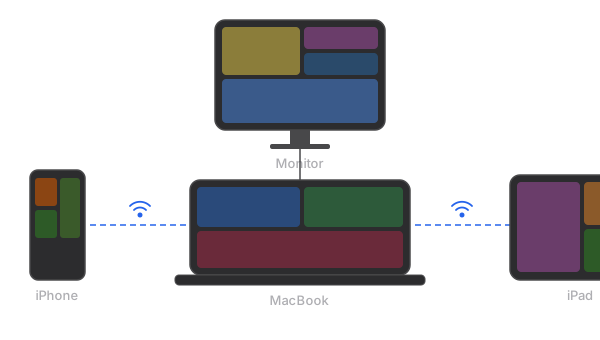
M1/M2 MacBook only supports one external display.
Gyeot turns your iPhone and iPad into wireless extended displays for your Mac. No extra hardware. No Sidecar needed.
One-time purchase — $4.99
Turn your old iPhone and iPad into wireless Mac monitors.
No router needed — devices connect directly, anywhere.
Features
Works over Wi-Fi or peer-to-peer. P2P connects your devices directly — no router, no internet, anywhere you go.
Hardware-accelerated H.264 encoding and decoding. Your Mac's GPU does the heavy lifting.
macOS recognizes each device as a real display. Drag windows, extend your workspace naturally.
Connect multiple iPhones and iPads at the same time. Each becomes its own independent display. No other app does this.
Lives quietly in your menu bar. See connected devices, start or stop streaming with one click.
Connection drops? Gyeot reconnects automatically. No babysitting required.
Compare
| Price | Subscription | Multi-Device | Hardware | Older Devices | |
|---|---|---|---|---|---|
| Sidecar | Free | ✓ None | × 1 only | ✓ None | × Recent only |
| Duet Display | $4/mo or $199 | × Subscription or $199 | × 1 only | ✓ None | ✓ Supported |
| Luna Display | $89.99 | ✓ None | × 1 only | × USB-C dongle | ✓ Supported |
| Gyeot | $4.99 | ✓ One-time | ✓ Unlimited | ✓ None | ✓ iOS 16+ |
Pricing as of April 2026. Sidecar requires compatible Mac + iPad with same Apple ID.
How it works
Download, drag to Applications, done. Gyeot appears in your menu bar, ready to stream.
Send this link to your Mac to download.
Download the companion app on your iPhone or iPad. It's free.

Scan with your iPhone or iPad camera
Or search “Gyeot” in the App Store
Same Wi-Fi, or no Wi-Fi at all — Gyeot connects your devices directly via peer-to-peer. No router needed.
Each connected device appears as a separate display. Set it as Main Display, Extended Display, or Mirror — just like a real monitor.
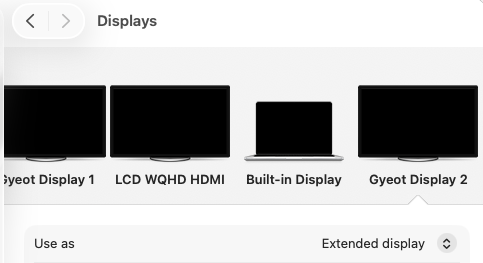
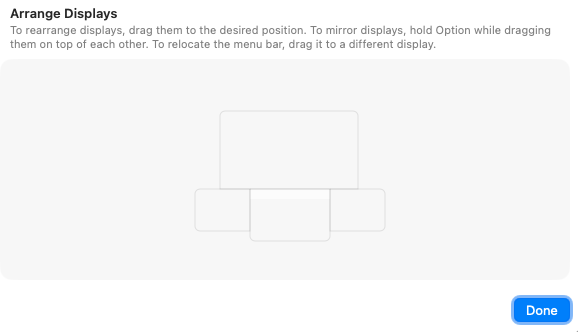
Tip: Open System Settings > Displays > Arrange to position your new displays exactly where you want them.
Pricing
One purchase. No subscription. No hidden fees. Yours forever.
Gyeot for Mac
$4.99
One-time purchase · Free updates
Competitors charge $29.99 — Gyeot is 6x cheaper
FAQ
Yes! Gyeot works with any iPhone or iPad running iOS/iPadOS 16 or later — including models that don't support Apple's Sidecar feature.
Not necessarily. Gyeot supports peer-to-peer (P2P) connections, so your Mac and iOS device can connect directly without a router.
Sidecar only works with recent iPads and Macs. Gyeot works with any iPhone or iPad (iOS 16+), supports multiple devices simultaneously, and doesn't require Sidecar-compatible hardware.
Gyeot uses hardware-accelerated H.264 encoding on your Mac's GPU, keeping latency minimal. It's smooth enough for everyday work — browsing, coding, Slack, email, and more.
Absolutely. Connect as many iPhones and iPads as you want. Each one appears as an independent display in your Mac's display settings.
No. You pay once, and it's yours. Free updates included.
Your old iPhone and iPad are about to become your most productive accessories.
Get Gyeot — $4.99